


Launch Your First Channel

Your channel is where subscribers find you, learn about your content, and decide to join. It's your dedicated space on Fansted with your branding, plans, and exclusive content.
Choose your channel name
Your channel name becomes your permanent URL: fansted.com/your-channel-name.
For guidance, check out the official Fansted channel.
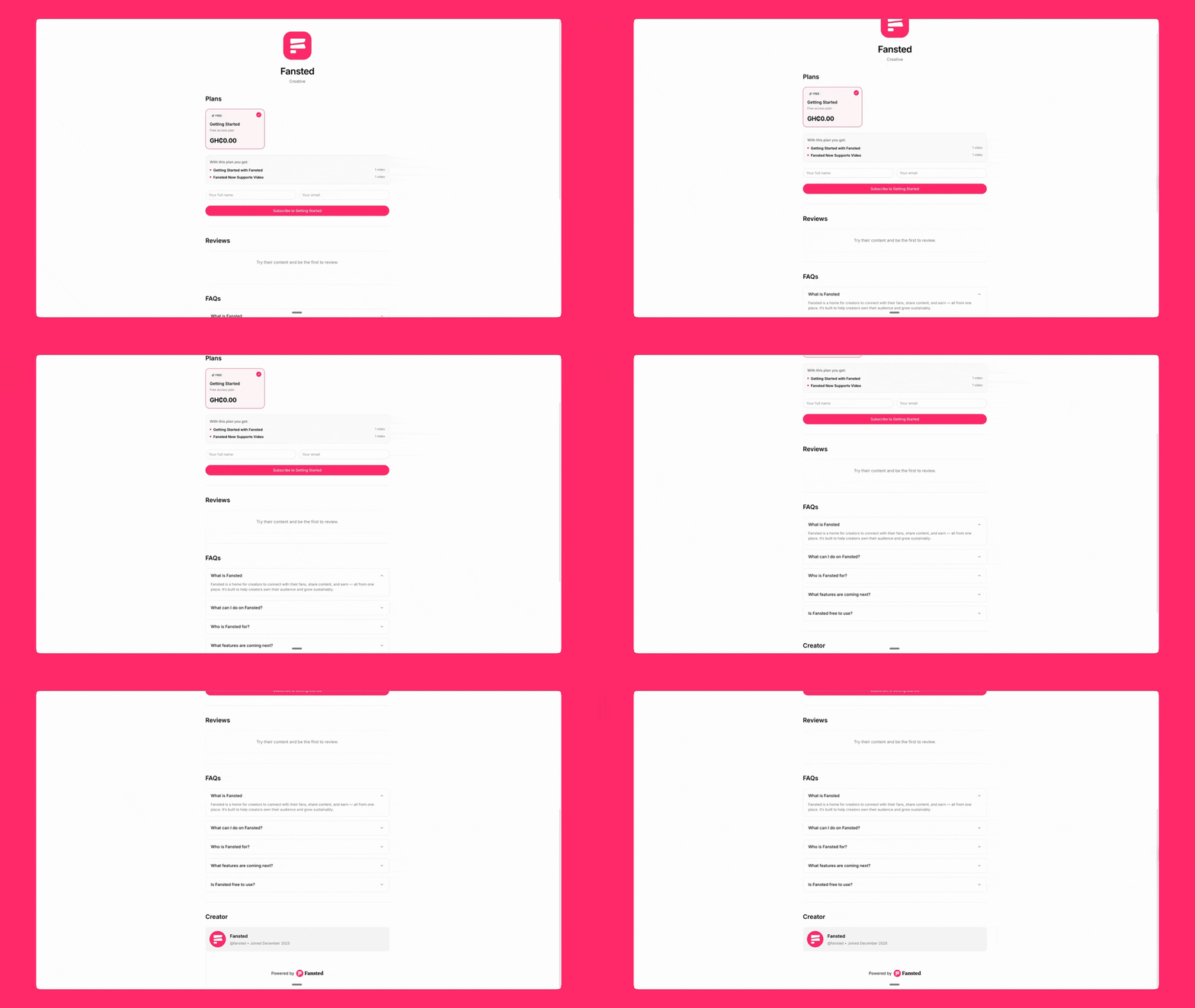
Pick something memorable and relevant to your content. You cannot change this later.
Create your channel
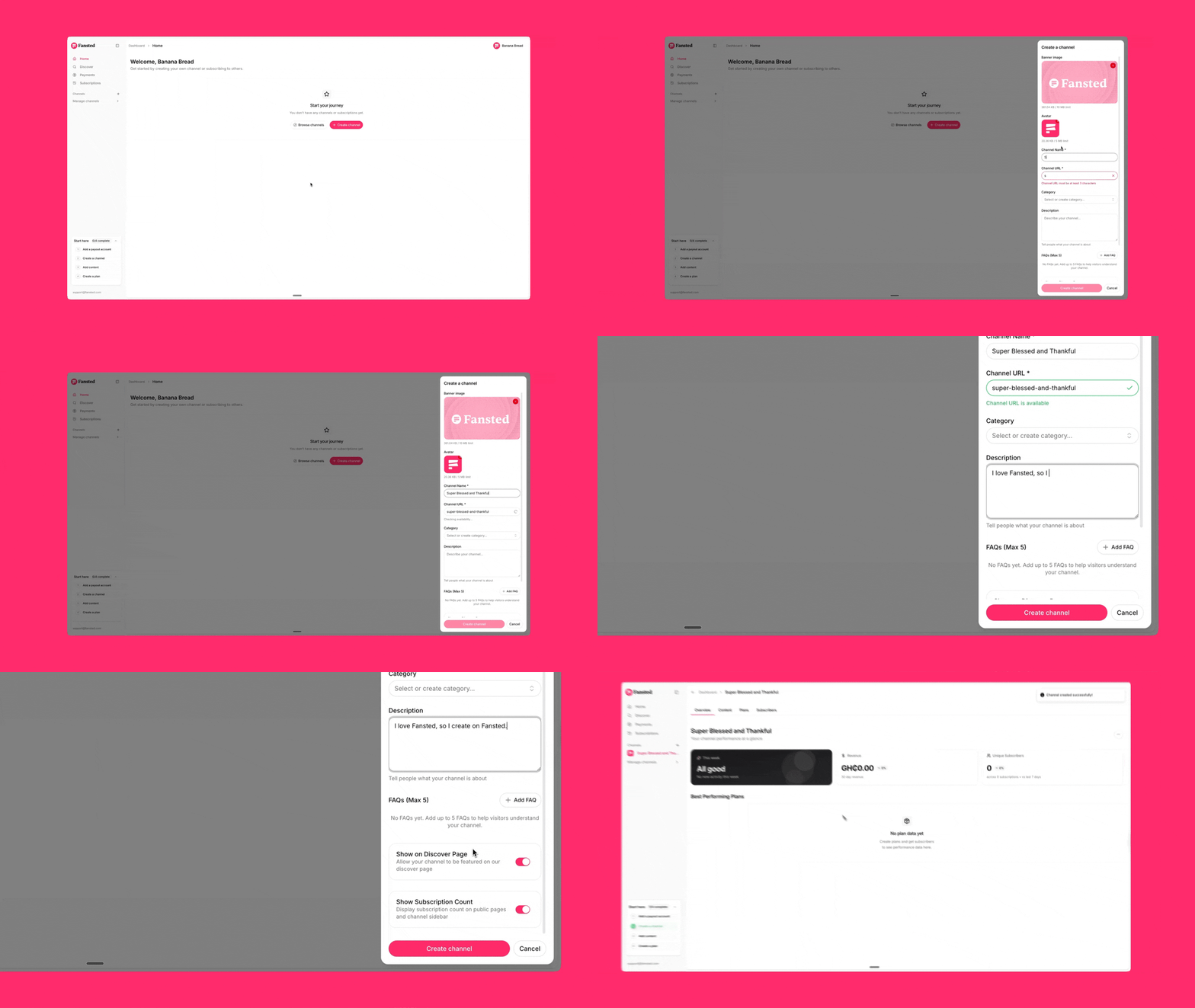
Open your dashboard
- Click Create Channel
- Enter your channel name
- Add a description (recommended for SEO)
- Upload an avatar (optional) — If you don't have one, use the free Image Generator to create a professional profile picture.
Your description appears on your public channel page and in search results.
Write something that tells potential subscribers exactly what they get when they subscribe. Keep it clear and specific.
Set your channel visibility
Fansted offers two visibility options:
- Public channels appear on the public discover page and show up in search results. You get free exposure to thousands of potential subscribers actively looking for creators.
- Private channels are hidden from search and only accessible via direct link. Use this option if you're building an invite-only community or prefer to control who finds your channel.
You can change your channel visibility at any time from your channel settings.
What to do next
Your channel is now live. Here's what you should do:
- Create your first subscription plan – Your channel is empty until you add at least one plan. Plans define what subscribers pay and what they get access to.
- Upload your first content – Start adding videos, downloads, or posts that subscribers receive when they join.
- Customize your channel page – Add a banner image and refine your description to attract more subscribers. If you need a profile picture or banner, use our free Image Generator to create one in minutes.